
The May 2026 PolyAI Agent Studio release ships a redesigned Conversations workspace built for high-volume review, adds a one-click Tripleseat integration for restaurant agents, and brings Cartesia’s Sonic 3.5 voice model to Agent Studio. Expand the items below for details:Documentation Index
Fetch the complete documentation index at: https://polyai-mintlify-3b299f94.mintlify.app/llms.txt
Use this file to discover all available pages before exploring further.
Conversations workspace revamp
Conversations workspace revamp
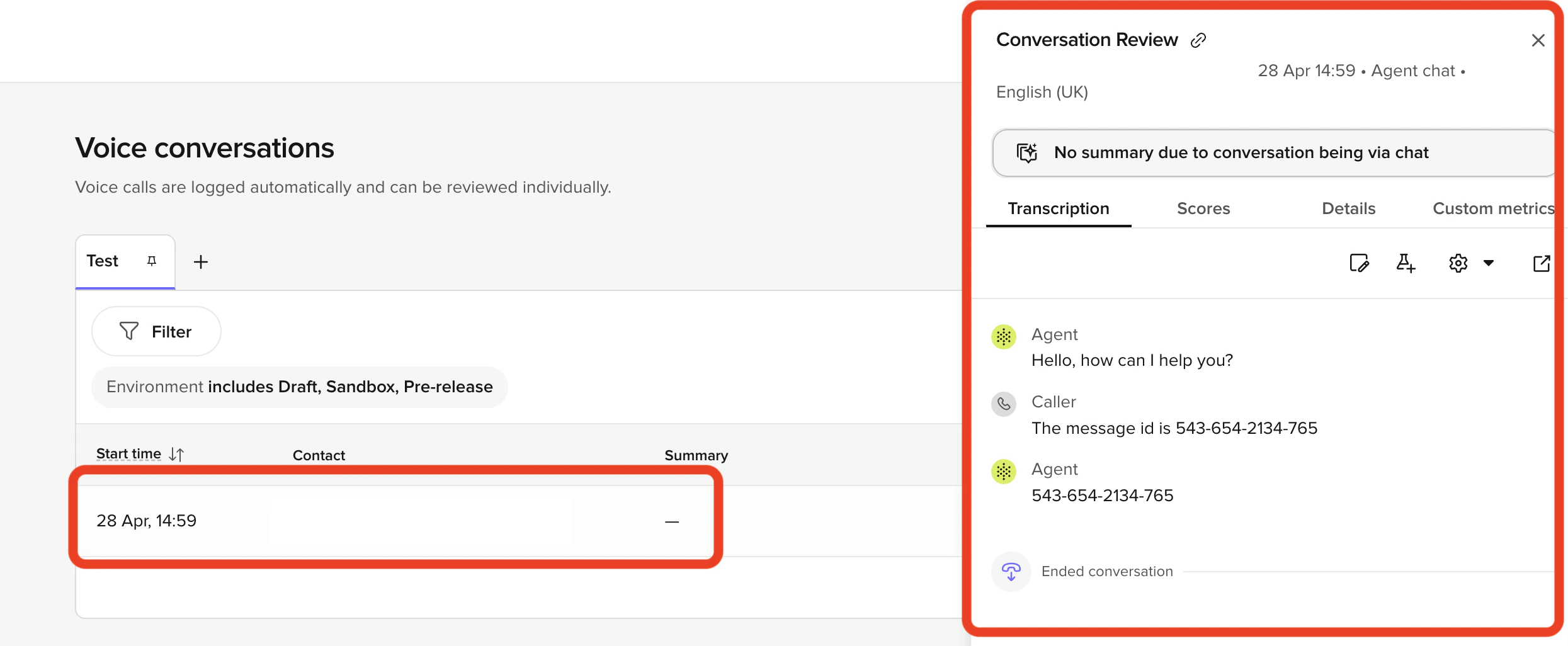
- Voice and Webchat as separate scopes — each with their own saved views, column layouts, and an integrated review side panel that opens without leaving the table.
- Saved views — built-in Production and Test System Views, plus your own Custom Views as pinned tabs. Duplicate, set as default, and share filters as a link.
- Diagnosis toggle group — debugging layers (tool calls, flows, variables, latency, logs, sources) are now independent toggles that persist as you move between conversations.
Cartesia Sonic 3.5 voice model
Cartesia Sonic 3.5 voice model
Cartesia’s latest TTS model, Sonic 3.5, is now selectable for any Cartesia voice. Pick it from the model dropdown when adding or editing a Cartesia voice, or set
model_id="sonic-3.5" in CartesiaVoice.Sonic 3.5 inherits all Sonic 3 behavior:- 10-emotion set via the
emotionparameter volumecontrol (e.g.0.5–2.0)- Speed range
0.6–1.5
Tripleseat integration
Tripleseat integration
Connect PolyAI to Tripleseat to capture event and large-party leads from voice, webchat, and SMS conversations — without writing custom code. Projects on the PLG restaurant template can connect Tripleseat through one-click OAuth from the Integrations page; other projects continue to be supported through Managed Services.See Tripleseat for the setup guide.